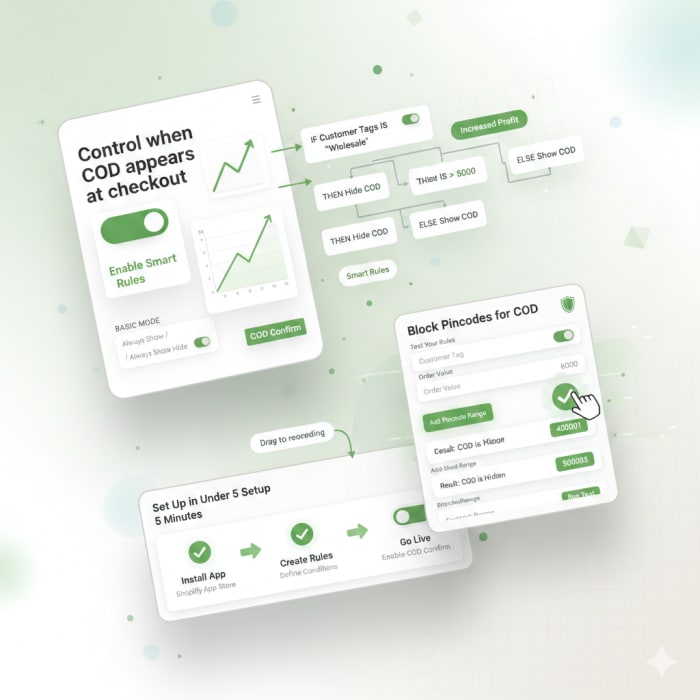
Native Shopify Integration
Runs on Shopify Functions
< 5ms Latency
Zero checkout slowdown
No External APIs
All logic on Shopify's edge
GDPR Compliant
Full privacy compliance
Everything You Need to Manage COD
Powerful features to control Cash on Delivery visibility at your Shopify checkout.
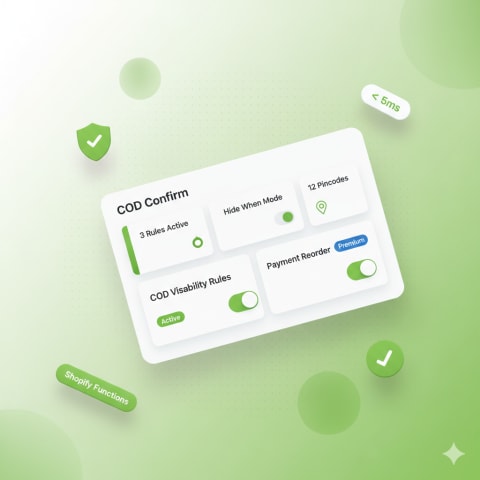
Smart COD Visibility Rules
Control exactly when COD appears at checkout. Create rules based on real business logic — no coding required.
- Filter by delivery country (IN, US, UAE...)
- Target by customer tags (VIP, blocked, wholesale)
- Set cart total thresholds (Premium)
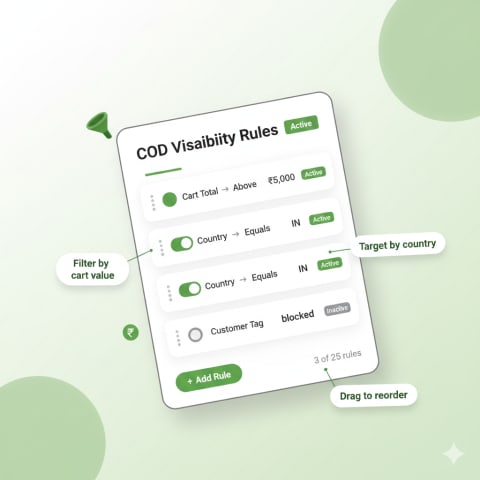
Two Powerful Modes
Choose the approach that fits your business.
- Hide When: COD hidden if ANY rule matches (blocklist)
- Show Only When: COD shown only if ALL rules match (allowlist)
- Switch modes anytime — rules adapt automatically
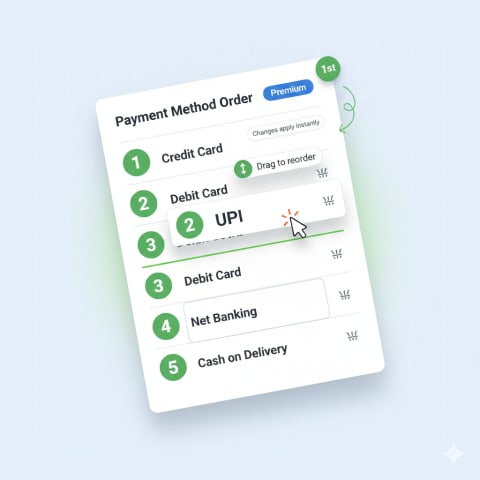
Drag-and-Drop Payment Reorder Premium
Put your preferred payment method first. Drag to reorder how payment options appear at checkout.
- Prioritize UPI, cards, or wallets
- Push COD to the bottom
- Changes apply instantly
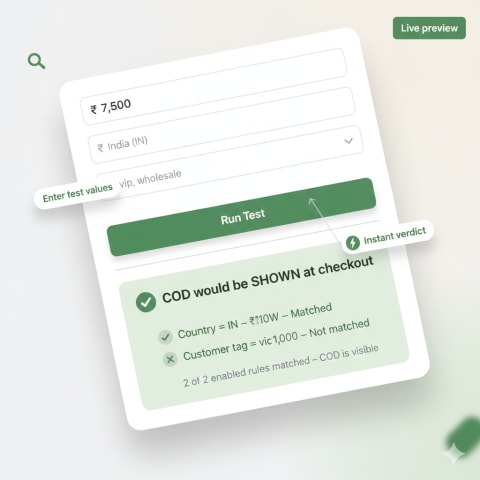
Test Before You Go Live
Simulate a checkout without affecting real customers. Enter test values, see if COD would be shown or hidden.
- Test with any cart total, country, or tag
- See which rules matched and why
- Verify before going live
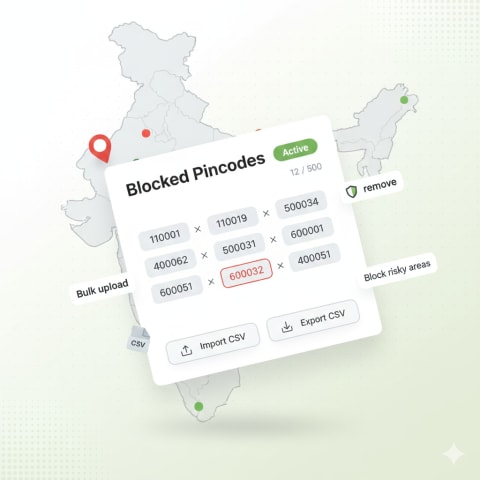
Block COD by Pincode
Stop COD for high-risk delivery areas. Paste pincodes or upload a CSV — COD is hidden at checkout for those zones.
- Bulk upload via CSV (Premium: up to 500)
- Search, add, remove individual pincodes
- Export your list anytime
- Manage COD availability by delivery area
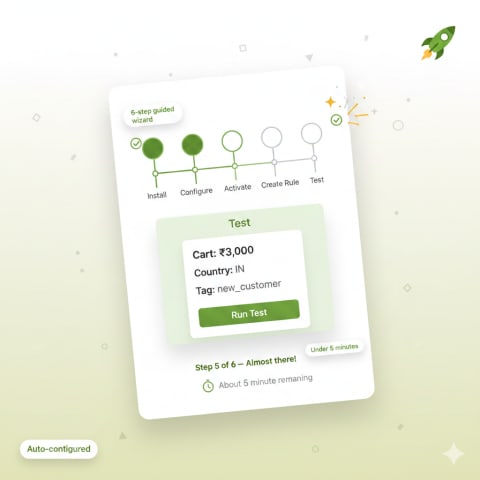
Set Up in Under 5 Minutes
A guided onboarding walks you through every step. From install to protection in minutes.
- 6-step guided setup wizard
- Auto-configures Shopify Function
- Test your first rule before going live
Get Started in 4 Simple Steps
From install to protection in minutes.
Install the App
One-click install from Shopify. Auto setup handles everything.
Create Your Rules
Define conditions: country, tags, cart total, pincodes.
Enable at Checkout
Toggle on from dashboard. Changes go live instantly.
You're Protected
Function runs on Shopify's edge in under 5ms.
Simple, Transparent Pricing
Start free. Upgrade when you need more power.
Free
- Up to 3 COD rules
- Country & customer tag conditions
- 1 pincode
- Hide When & Show Only When modes
- Built-in rule tester
- Email support
- Cart total rules
- Payment reordering
- CSV import/export
- Config backup & restore
- Priority support
Premium
- Up to 25 COD rules
- Country, customer tag & cart total conditions
- Up to 500 pincodes with CSV import/export
- Hide When & Show Only When modes
- Built-in rule tester
- Drag-and-drop payment reordering
- Config backup & restore
- Priority email support
View full feature comparison
| Feature | Free | Premium |
|---|---|---|
| COD visibility rules | Up to 3 | Up to 25 |
| Country conditions | ✓ | ✓ |
| Customer tag conditions | ✓ | ✓ |
| Cart total conditions | ✗ | ✓ |
| Pincodes | 1 | Up to 500 |
| CSV import/export | ✗ | ✓ |
| Hide When mode | ✓ | ✓ |
| Show Only When mode | ✓ | ✓ |
| Built-in rule tester | ✓ | ✓ |
| Payment reordering | ✗ | ✓ |
| Config backup & restore | ✗ | ✓ |
| Priority support | ✗ | ✓ |
Frequently Asked Questions
Everything you need to know about COD Confirm.
How does COD Confirm work?
COD Confirm runs as a Shopify Function — a lightweight script that executes at checkout in under 5ms. You create rules (e.g., “hide COD if cart > ₹5,000”), and the Function enforces them automatically every time a customer checks out. No external servers, no latency impact.
Will this slow down my checkout?
No. The Shopify Function runs on Shopify’s edge infrastructure in under 5 milliseconds. There are no external API calls — everything runs within Shopify’s own network.
What conditions can I use for rules?
Free plan: delivery country and customer tags. Premium adds cart total (amount-based) conditions. You can also block COD by pincode/zipcode.
What’s the difference between Hide When and Show Only When?
Hide When (blocklist): COD is visible by default, and hidden only when a rule matches. Show Only When (allowlist): COD is hidden by default, and shown only when ALL rules match. Choose based on your business needs.
How does pincode blocking work?
You paste pincodes or upload a CSV file. At checkout, if the delivery pincode matches any in your list, COD is automatically hidden. Great for blocking high-RTO zones.
Is there a free plan?
Yes! The free plan includes 3 COD visibility rules, country and customer tag conditions, 1 pincode, and the built-in rule tester. No credit card required.
What does Premium include?
Premium ($4.99/month) gives you 25 rules, cart total conditions, 500 pincodes with CSV import/export, drag-and-drop payment reordering, configuration backup & restore, and priority support.
What happens when I downgrade from Premium?
Excess rules are disabled (not deleted), cart total rules are paused, pincodes are trimmed to the free limit, and payment reordering is turned off. Your configuration is saved as a snapshot — when you re-upgrade, restore it with one click.
Can I test my rules before they go live?
Yes! The built-in rule tester lets you simulate a checkout by entering a cart total, delivery country, and customer tags. It shows whether COD would be shown or hidden, and which rules matched.
How do I get started?
Install the app, follow the 6-step guided setup, create your first rule, test it, and enable it. The whole process takes under 5 minutes.